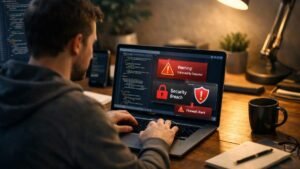
I used to think I was smart enough to spot a scam email instantly. Then one day, I almost clicked a link that looked exactly like it came from my bank. Same logo, same tone, same urgency. That moment made me realize how easy it is to get tricked and how unprepared I actually was.
Since then, I’ve completely changed how I handle my inbox. I started researching, testing, and building a routine around email security tips that actually work in real life. Not just generic advice, but practical habits that protect my accounts every single day.
If you rely on email for anything important, and let’s be honest, we all do, this is exactly what you need to know to stay one step ahead of hackers.
Why Email Security Is Critical for Your Digital Identity
Your email account is the gateway to almost everything online. It controls password resets, account verifications, and sensitive notifications.
If someone gains access to your email, they can reset your passwords and take over your accounts within minutes. That’s why following strong email protection strategies is one of the smartest things you can do.
I’ve learned that securing your inbox is not just about avoiding scams. It’s about protecting your entire digital life.
Email Security Tips That Actually Work Today
Enable Multi-Factor Authentication the Right Way
One of the first upgrades I made was switching to multi-factor authentication using an authenticator app instead of SMS.
Apps like Google Authenticator or hardware keys like YubiKey provide stronger protection against automated attacks. This simple step blocks most unauthorized login attempts before they even begin.
Use Strong, Unique Passwords for Every Account
I no longer reuse passwords across accounts. Instead, I use long passphrases that combine letters, numbers, and symbols.
To manage them easily, I rely on a password manager. It generates secure passwords and stores them safely so I don’t have to remember everything.
Always Verify Senders and Links Before Clicking
One of the most practical email security tips I follow is checking the full sender address before taking any action.
I also hover over links to see where they lead. If the URL looks suspicious or doesn’t match the company, I don’t click it. Instead, I go directly to the official website.
Avoid Suspicious Attachments and File Types
I treat unexpected attachments as high risk. Even if they appear to come from someone I know, I double-check before opening them.
I completely avoid executable files like .exe, .jar, or .msi unless I’m absolutely sure they are safe.
Watch for Phishing Red Flags
Over time, I’ve learned to spot phishing emails quickly. Common signs include urgent language, generic greetings, and small spelling errors.
If an email pressures me to act immediately, I slow down. That pause has saved me more than once.
How to Protect Your Email Account Step by Step
If I had to secure a new email account today, here’s exactly what I would do.
First, I would create a strong password and store it in a password manager. Then, I would enable multi-factor authentication using an authenticator app instead of SMS.
Next, I would review recovery options like backup email and phone number to make sure they are secure. After that, I would check account activity logs to detect any unusual logins.
Finally, I would enable automatic software updates on my devices and email apps to fix security vulnerabilities as soon as possible. This step-by-step process creates a strong foundation for long-term protection.
Advanced Email Security Settings Most People Ignore
Review Third-Party App Permissions
I regularly check which apps have access to my email account. Many services request permissions that you may forget about over time.
Removing unused or suspicious apps reduces the risk of unauthorized access.
Check Email Forwarding Rules
This is something I didn’t know early on. Hackers can set up forwarding rules to secretly receive your emails.
Now, I make it a habit to review these settings and ensure nothing is being forwarded without my knowledge.
Separate Personal and Work Email Accounts
I keep my personal and professional emails separate. This limits the damage if one account gets compromised.
It also helps me reduce spam and manage risks more effectively.
Encrypt Sensitive Information
Whenever I need to send confidential data, I use secure email services or built-in encryption features.
This adds an extra layer of protection, especially when sharing financial or personal details.
Safe Email Habits I Follow Every Day
The biggest difference in my security came from small daily habits.
I avoid using public Wi-Fi when checking sensitive emails. If I have to, I use a VPN to protect my connection.
I also keep my inbox clean by unsubscribing from unknown mailing lists. Fewer emails mean fewer chances of falling for scams.
Staying aware of new threats helps me stay one step ahead.
Common Email Threats You Should Understand
Phishing remains the most common threat, where attackers impersonate trusted brands to steal information.
Malware attachments can infect your device and compromise your data. Business email compromise is another growing threat, especially for professionals and small businesses.
Understanding these risks makes it easier to recognize and avoid them.
Best Tools That Strengthen Email Security
I use spam filters to block suspicious emails before they reach my inbox. Antivirus software helps detect harmful attachments.
Browser security extensions warn me about unsafe websites, and password managers keep my credentials secure.
Together, these tools create a strong defense without making things complicated.
Frequently Asked Questions About Email Security Tips
1. What are the most effective email security tips for beginners?
Start with strong passwords, enable multi-factor authentication, and avoid clicking unknown links. These steps provide immediate protection.
2. How do I know if an email is safe or fake?
Check the sender’s address, look for suspicious language, and verify links before clicking. If something feels off, it’s better to avoid it.
3. Is using public Wi-Fi safe for checking emails?
Public Wi-Fi can expose your data. Use a VPN if you need to access email on public networks.
4. What should I do if my email gets hacked?
Change your password immediately, enable MFA, review account settings, and check for unauthorized activity.