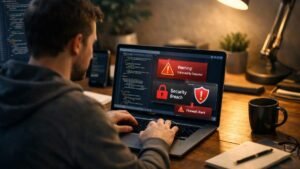
I always believed I had a sharp eye for scams until I started seeing emails that looked almost identical to real messages from banks, delivery services, and apps I actually use. That’s when I realized how easy it is to get tricked if you’re not paying close attention. Over time, I built a simple system that helps me pause, check, and avoid falling into these traps.
Now, before I open any unexpected email, I take a few seconds to question it instead of trusting it. That small habit has saved me from clicking dangerous links more than once. It’s not about being paranoid, it’s about being just careful enough to stay one step ahead.
Why scam emails still fool smart people
Phishing emails are not random or obvious anymore. They are designed to feel urgent, familiar, and believable. Scammers understand human behavior better than most people think, and they use that to their advantage.
I have noticed that most scam emails try to create pressure. They make you feel like you need to act immediately, whether it’s about a locked account, a failed delivery, or a suspicious login. That urgency is what makes people skip basic checks and click without thinking.
What fake emails usually look like
Once I started paying attention, patterns became very clear. Most fake emails follow the same structure with small variations.
They often come from email addresses that look almost correct but include slight changes. Sometimes there’s an extra letter, a missing character, or a completely different domain hiding behind a familiar name.
Another thing I always look for is tone. If the message sounds overly urgent, threatening, or something happened to formal methods, it usually signals something is off. Real companies rarely communicate in a way that pressures you into immediate action.
Spot Fake Emails and Scams with my 10-second check
This is the quick routine I follow before I click anything. It only takes a few seconds, but it has saved me more times than I can count.
First, I check if I actually have an account with the company mentioned in the email. If not, that’s already a red flag. Second, I inspect the sender carefully. I don’t rely on the display name. I open the full email address and look for anything unusual or slightly altered.
Third, I hover over links before clicking. This helps me see where the link is actually taking me instead of trusting what it says. Finally, I ask myself one simple question: would a real company ask for this information in this way? If the answer feels uncertain, I don’t proceed.
The most common red flags I never ignore
There are certain warning signs I have learned to never overlook. One of the biggest is a mismatch between the sender name and the email address.
Another major red flag is unexpected attachments. If I wasn’t expecting a file, I don’t open it. It’s not worth the risk.
I also stay cautious about any message asking for personal details, login credentials, or payment information. Following basic data protection tips, I treat these requests as serious warning signs because they almost always point to a scam.
Spot Fake Emails and Scams in urgent messages
Urgency is one of the most powerful tricks scammers use. Messages that demand immediate action are designed to make you panic and skip verification.
Whenever I receive an urgent email, I slow down instead of speeding up. I never use links or phone numbers provided in the message. Instead, I go directly to the official website or use contact details I already trust.
This simple habit has helped me avoid making rushed decisions that could have serious consequences.
How I protect my accounts every day
Protecting my accounts has become part of my daily routine. I rely on multiple layers of security instead of just one.
I use different passwords for important accounts and avoid reusing them across platforms. I also enable multi-factor authentication wherever possible. This adds an extra barrier even if someone gets access to my password.
I am also mindful about what I share online. Small pieces of information can sometimes be used to guess passwords or security answers.
How to handle a suspicious email step by step
When something feels off, I don’t ignore that instinct. I pause and take a structured approach. First, I avoid clicking anything inside the email. Then I verify the message through official sources I trust. If I still feel unsure, I simply delete it.
If I accidentally interact with the email, I act quickly. I change my passwords, secure my accounts, and monitor for unusual activity. Taking action early makes a big difference.
Spot Fake Emails and Scams before they cost you
The biggest change I made was shifting my mindset. I no longer assume emails are safe just because they look professional or familiar.
I treat every unexpected message with a bit of skepticism. That small shift has helped me avoid mistakes and stay in control of my digital security.
Frequently Asked Questions
1. What is the fastest way to identify a fake email?
I focus on three things: the sender address, the link destination, and the tone. If any of these feel off, I treat the email as suspicious.
2. What should I do if I click a phishing link?
I immediately change my passwords, secure my accounts, and monitor for any unusual activity. Acting quickly can prevent further damage.
3. Can scam emails look completely real?
Yes, many of them look almost identical to real emails. That’s why checking details carefully is so important.
4. Is it safe to reply to suspicious emails?
I never reply to suspicious emails. Even responding can confirm that your email address is active, which may lead to more scams.
Final Thoughts
I have learned that staying safe online is less about being perfect and more about being consistent. Every time I pause, check, and verify, I reduce the chances of making a costly mistake. Over time, this habit becomes second nature, and that is what truly keeps me protected.
Now, I don’t rush through emails the way I used to. I slow down just enough to notice the small details that make a big difference. That simple shift in how I react has made me far more confident and secure online.